
This guide provides step-by-step instructions on how to integrate react native push notifications using Node js, MongoDB and Express as backend and notifee as the library of choice for displaying notifications.
Pre Requisites:
- You need a backend configured using Node, MongoDB and Express.
- You need a React-native app running.
- Have a little bit of knowledge about Foreground, Background services and full-stack development in general.
Create a New Firebase Project
Step 1
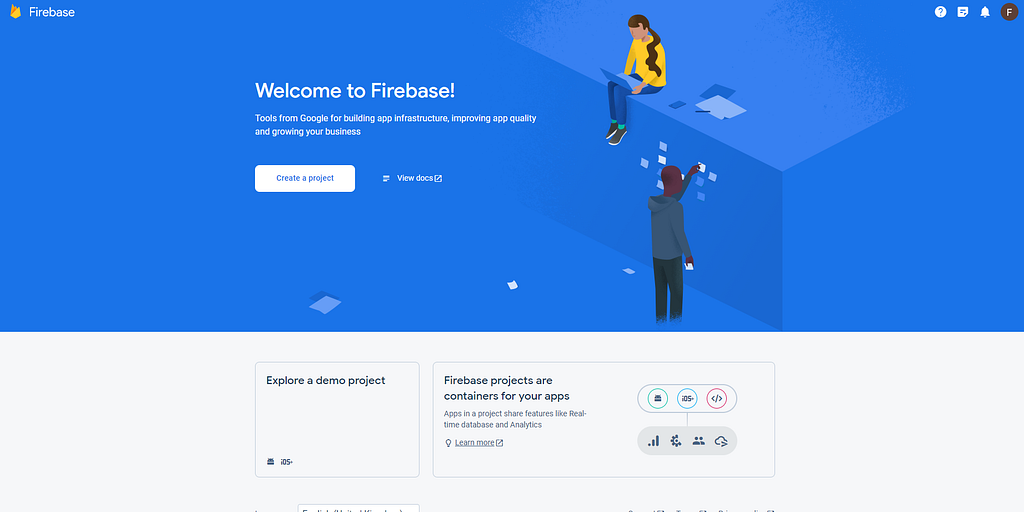
Step 2
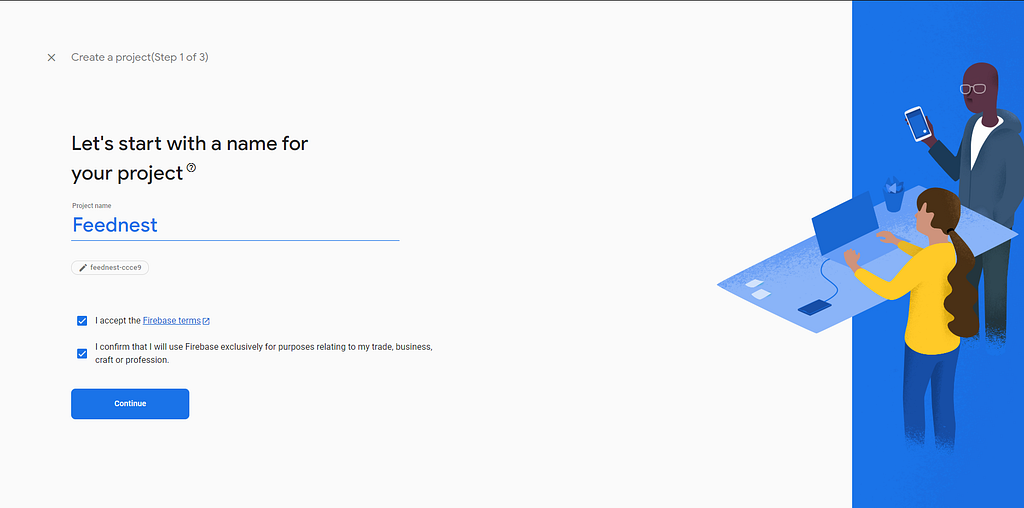
Step 3
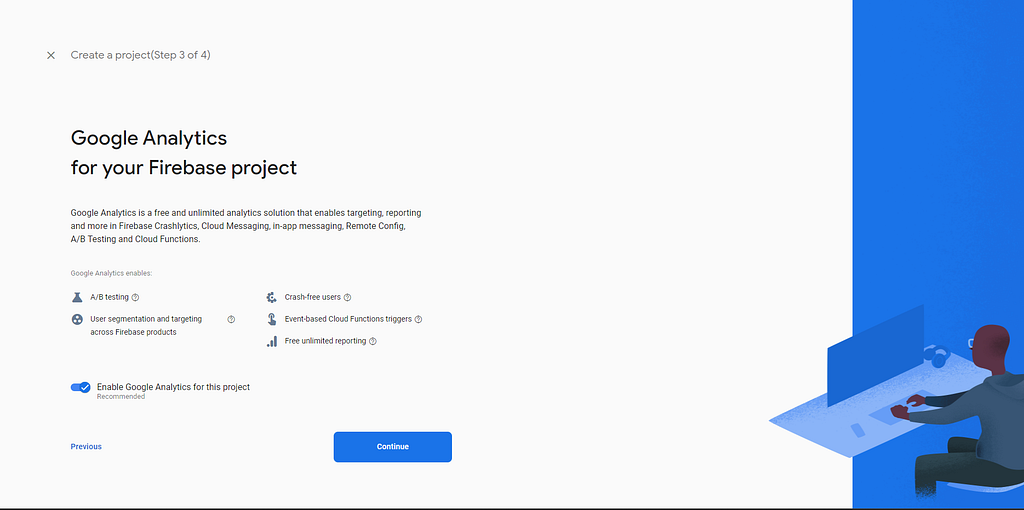
Step 4
Add Firebase to Android App
Step 1
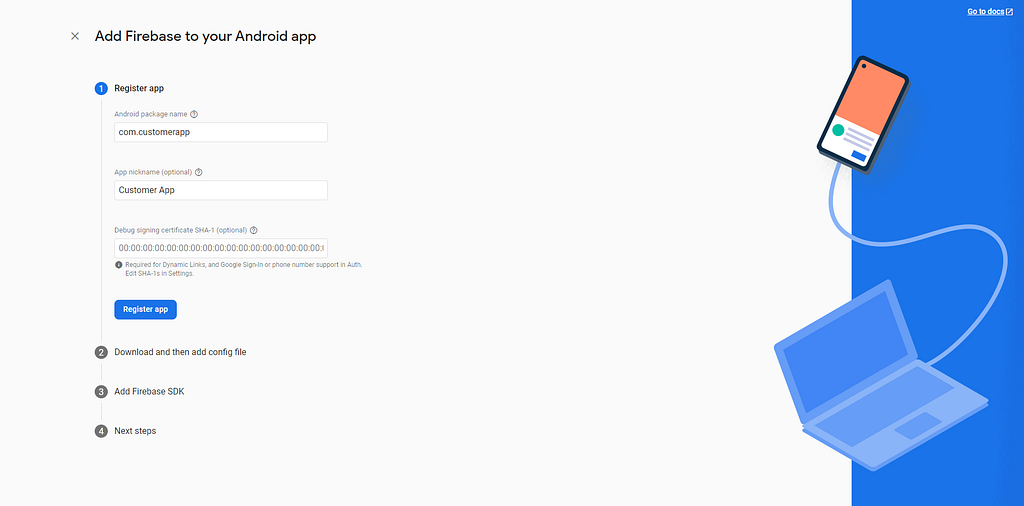
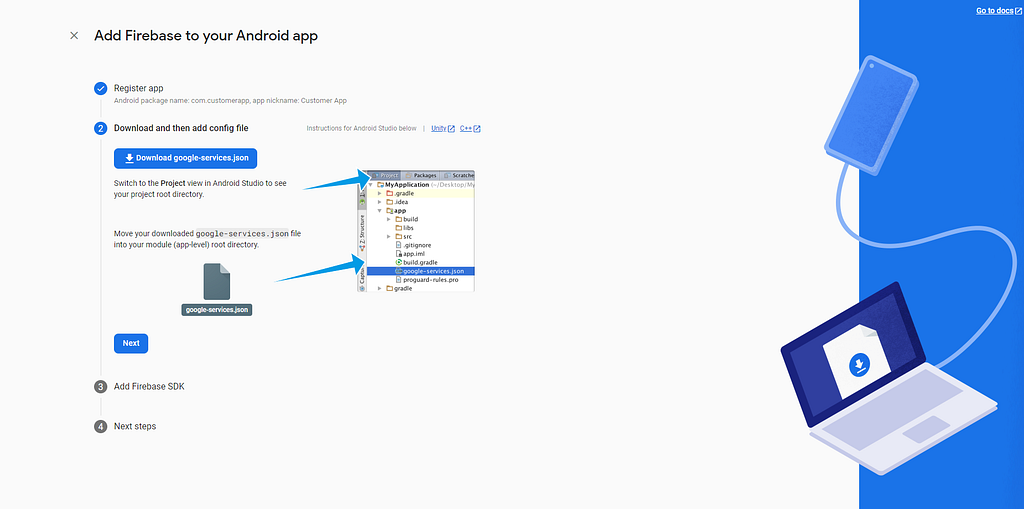
Step 2
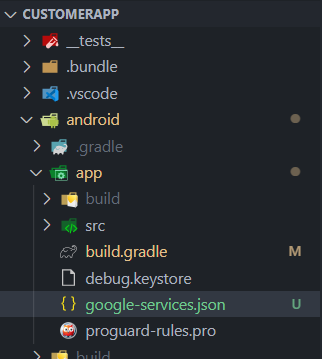
Step 3 (Changes in build. gradle {app level and android level})
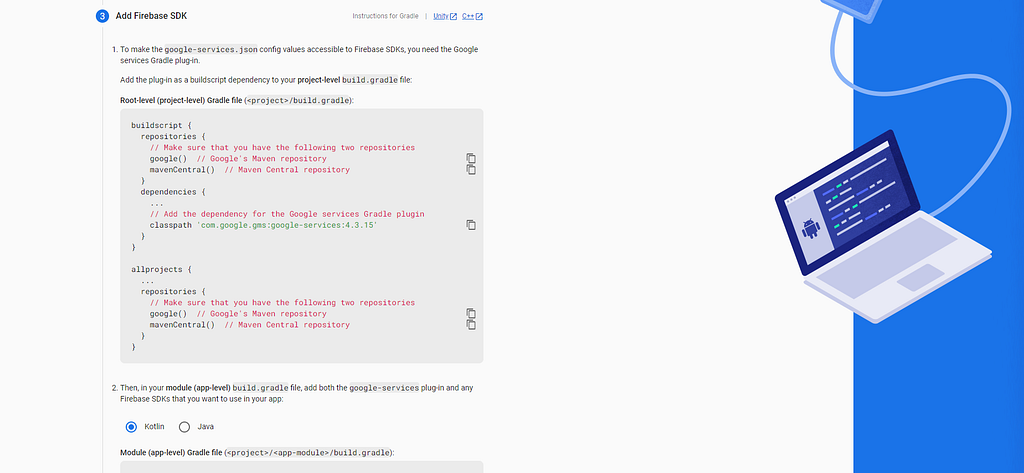
Build. gradle (android Level)
buildscript {
    ext {
        buildToolsVersion = "33.0.0"
        minSdkVersion = 21
        compileSdkVersion = 33
        targetSdkVersion = 33

        // We use NDK 23 which has both M1 support and is the side-by-side NDK version from AGP.
        ndkVersion = "23.1.7779620"
    }
    repositories {
        google() //this line
        mavenCentral() //this line
    }
    dependencies {
        classpath("com.android.tools.build:gradle:7.3.1")
        classpath("com.facebook.react:react-native-gradle-plugin")
        classpath('com.google.gms:google-services:4.3.15') //this line
    }
}
Build. gradle (app Level)
apply plugin: "com.android.application"
apply plugin: "com.facebook.react"
apply plugin: "com.google.gms.google-services" //this line

dependencies {
    implementation platform('com.google.firebase:firebase-bom:32.1.0') //this line
}
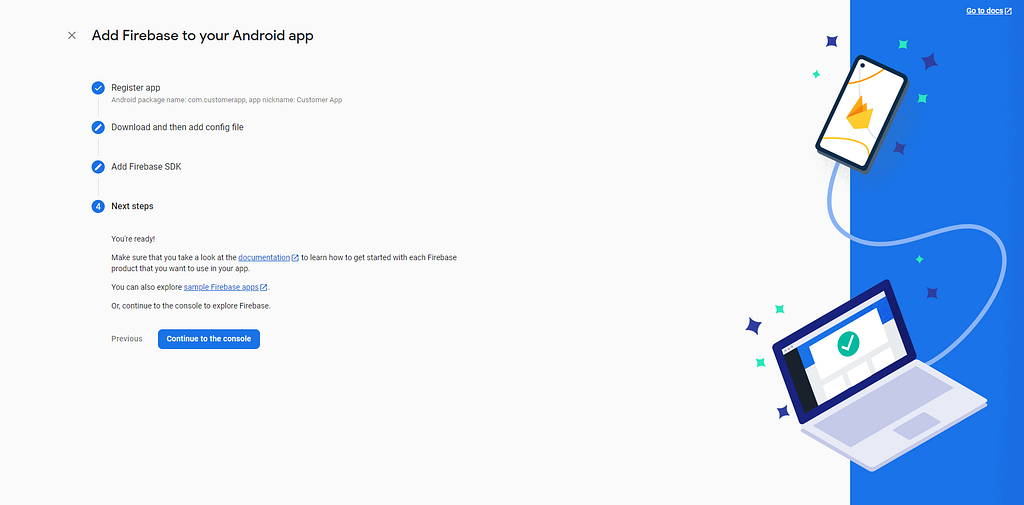
Step 4 (Voila! You are done)
Generate a new private key
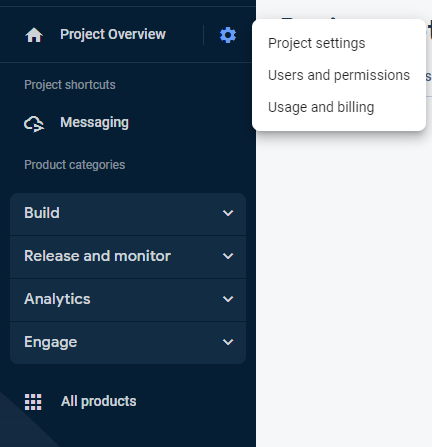
Step1 (Go to Project Overview -> Project Settings)
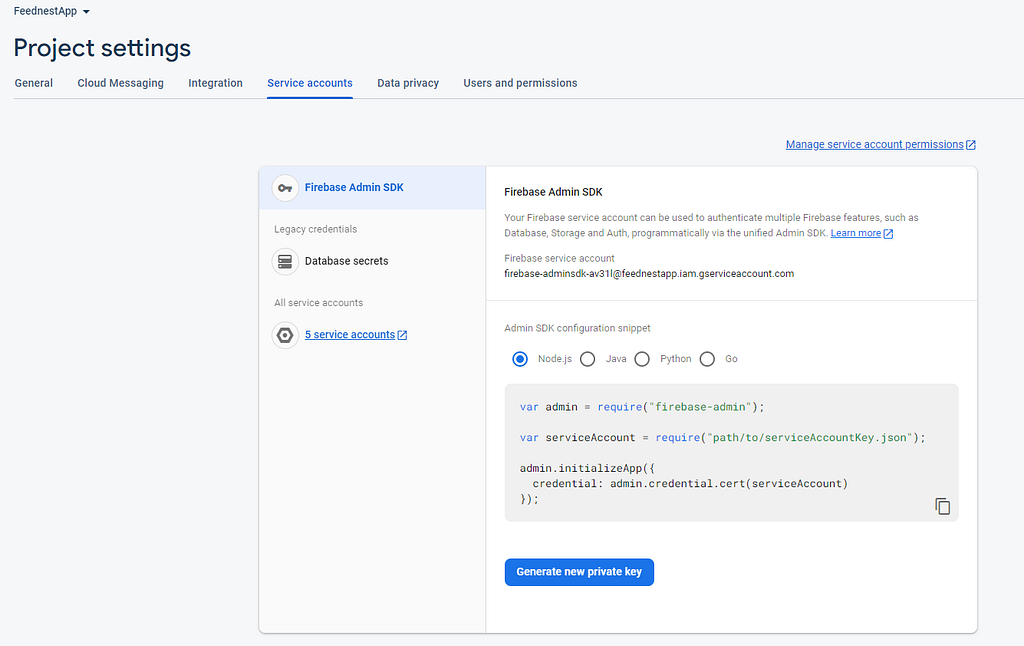
Step2 (Go to Service Accounts)

Step3 (Generate a new private key and a file will be downloaded)
Integrate Firebase with Node JS Backend
Add JSON file to the root
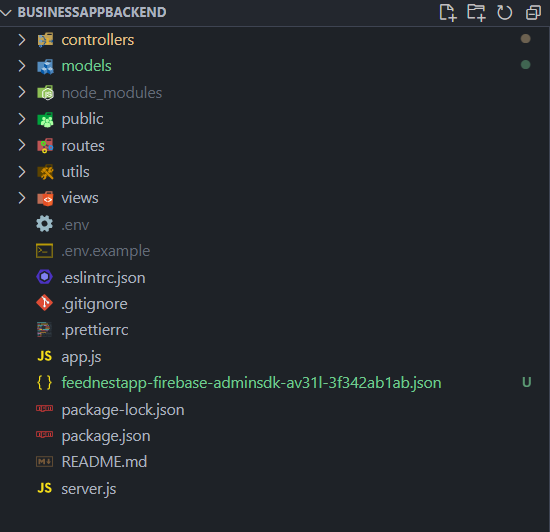
Install Firebase on Node Js
bash
npm install --save firebase-admin
Initialize Firebase in app.js
js
var admin = require("firebase-admin");
var serviceAccount = require("path/to/serviceAccountKey.json");
admin.initializeApp({
 credential: admin.credential.cert(serviceAccount)
});
Create a Notification Model for In-App notifications.
js
const mongoose = require('mongoose');

const notificationSchema = new mongoose.Schema({
  userID: {
    type: mongoose.Schema.Types.ObjectId,
    ref: 'User',
  },
  tokenID: {
    type: String,
    required: true,
  },
  notifications: {
    type: [Object],
  },
  data: {
    type: Object,
  },
  createdAt: {
    type: Date,
    default: Date.now,
  },
});

module.exports = mongoose.model('Notification', notificationSchema);
Code for Notification Controller
js
// importing utils
const catchAsync = require('../utils/catchAsync');
const AppError = require('../utils/appError');
const factory = require('./handlerFactory');
const mongoose = require('mongoose');

const Notification = require('../models/Notification');

const path = require('path');

const admin = require('firebase-admin');

exports.registerNotification = catchAsync(async (req, res, next) => {
  const { user, tokenID } = req.body;

  const objID = mongoose.Types.ObjectId.isValid(user)
    ? mongoose.Types.ObjectId(user)
    : null;

  if (!objID) {
    return next(new AppError('Invalid User ID', 400));
  }
  const obj = await Notification.findOne({ user: user });

  if (obj)
    return res.status(200).json({
      status: 'success',
      data: {
        message: 'Token already registered!',
      },
    });

  return factory.createOne(Notification)(req, res, next);
});

exports.updateNotification = catchAsync(async (req, res, next) => {
  const userID = req?.query?.userid;

  const objID = mongoose.Types.ObjectId.isValid(userID)
    ? mongoose.Types.ObjectId(userID)
    : null;

  if (!objID) {
    return next(new AppError('Invalid User ID', 400));
  }

  const obj = await Notification.findOne({ user: userID });

  if (!obj) {
    return next(new AppError('No Document Found', 404));
  }

  req.params.id = obj._id;
  return factory.updateOne(Notification)(req, res, next);
});

exports.sendNotification = catchAsync(async (req, res, next) => {
  try {
    const { title, body, navigate, tokenID, image, user, data } = req.body;

    const obj = await Notification.findOne({ user: user });

    if (!obj) {
      return next(
        new AppError('No Such User with Notifications Object Found', 404)
      );
    }

    const notification = {
      title: title ? title : 'Results Are Ready!',
      body: body ? body : 'Click here to view your results',
      data: {
        navigate: navigate ? navigate : 'Xray',
        image: image ? image : 'default',
        data: data ? data : null,
      },
      android: {
        smallIcon: 'logo_circle',
        channelId: 'default',
        importance: 4,
        pressAction: {
          id: 'default',
        },
        actions: [
          {
            title: 'Mark as Read',
            pressAction: {
              id: 'read',
            },
          },
        ],
      },
    };

    obj.notifications.push(notification);
    await obj.save();

    await admin.messaging().sendMulticast({
      tokens: [tokenID],
      data: {
        notifee: JSON.stringify(notification),
      },
    });

    res.status(200).json({ message: 'Successfully sent notifications!' });
  } catch (err) {
    res
      .status(err.status || 500)
      .json({ message: err.message || 'Something went wrong!' });
  }
});

exports.getNotifications = catchAsync(async (req, res, next) => {
  const { user } = req.query;

  const objID = mongoose.Types.ObjectId.isValid(user)
    ? mongoose.Types.ObjectId(user)
    : null;

  if (!objID) {
    return next(new AppError('Invalid User ID', 400));
  }

  const obj = await Notification.findOne({ user: user });

  if (!obj) {
    return next(
      new AppError('No Such User with Notifications Object Found', 404)
    );
  }

  return res.status(200).json({
    status: 'success',
    obj,
  });
});
Code for Notification Routes
js
const express = require('express');
const notificationController = require('../../controllers/api/NotificationController');

const router = express.Router();

router.post('/send', notificationController.sendNotification);

router
  .route('/')
  .get(notificationController.getNotifications)
  .post(notificationController.registerNotification)
  .patch(notificationController.updateNotification);

module.exports = router;
Integrate with React Native
Install Firebase Modules
bash
# Install & setup the app module
npm install --save @react-native-firebase/app

# Install the messaging module
npm install --save @react-native-firebase/messaging
Make changes in App.jsx
js
import MainNavigator from './src/navigation/MainNavigator';

import {AuthProvider} from 'context/AuthContext';

import messaging from '@react-native-firebase/messaging';
import {useEffect} from 'react';

const registerDeviceForMessaging = async () => {
  await messaging().registerDeviceForRemoteMessages();
  const token = await messaging().getToken();

  await deviceStorage.saveItem('FCMToken', token);

  console.log('FCM Token: ', token);
  // Register the token
  // await register(token);
};

function App() {
  useEffect(() => {
    registerDeviceForMessaging();
  }, []);
  return (
    <AuthProvider>
      <MainNavigator />
    </AuthProvider>
  );
}

export default App;
Make an API service for registering notifications and updating
js
import axios from 'axios';

import {URL} from '@env';


const API = axios.create({
  baseURL: `${URL}`,
  withCredentials: true,
});

//add a scan
export const register = async data => {
  return API.post(`notification`, data);
};

export const update = async data => {
  return API.patch(`notification?userid=${data?.userId}`, {
    tokenID: data?.token,
  });
};
Call the API at the time of Registration
js
const response = await registerUser({
    nickname: name,
    email: email,
    password: password,
    passwordConfirm: confPassword,
  });

const fcm = await deviceStorage.loadItem('FCMToken');

await register({
    tokenID: fcm,
    user: response?.data?.data?.user._id,
});
Call the API at the time of the Sign In
js
const response = await loginUser({
    email: email,
    password: password,
  });

const fcm = await deviceStorage.loadItem('FCMToken');

await update({
    userId: response?.data?.data?.user._id,
    token: fcm,
});
Notifee Configuration for receiving notifications from the backend
Install Notifee and EventEmitter (Optional)
bash
npm install --save @notifee/react-native
bash
npm install --save eventemitter3
Make the following changes to Index.js
js
/**
 * @format
 */

import {AppRegistry} from 'react-native';
import App from './App';
import {name as appName} from './app.json';

import messaging from '@react-native-firebase/messaging';
import notifee, {
  EventType,
  AndroidImportance,
  TriggerType,
  Trigger,
} from '@notifee/react-native';
var EventEmitter = require('eventemitter3');

export const eventEmitter = new EventEmitter();

const onMessageReceived = async message => {
  notifee.createChannel({
    id: 'default',
    name: 'Default Channel',
  });
  const notification = JSON.parse(message.data.notifee);
  await notifee.displayNotification(notification);
};

messaging().setBackgroundMessageHandler(onMessageReceived);
messaging().onMessage(onMessageReceived);

notifee.onBackgroundEvent(async ({type, detail}) => {
  const {notification, pressAction} = detail;

  // Check if the user pressed the "Mark as read" action

  if (type === EventType.PRESS) {
    // Update external API

    eventEmitter.emit('notificationReceived', notification);

    // Remove the notification
    await notifee.cancelNotification(notification.id);
  }
});

notifee.onForegroundEvent(async ({type, detail}) => {
  const {notification, pressAction} = detail;

  if (type === EventType.PRESS) {
    eventEmitter.emit('notificationReceived', notification);

    await notifee.cancelNotification(notification.id);
  }
});

AppRegistry.registerComponent(appName, () => App);
Make changes to your navigator
js
import {useNavigation} from '@react-navigation/native';
import {eventEmitter} from '../../index.js';


const HomeNavigator = () => {
  const navigation = useNavigation();

  useEffect(() => {
    eventEmitter.on('notificationReceived', notification => {
      if (notification?.data?.navigate) {
        navigation.navigate(notification?.data?.navigate);
      }
    });
  }, []);
Voila! Now You can send notifications by just calling the send notification route from the backend whenever you want.
Example
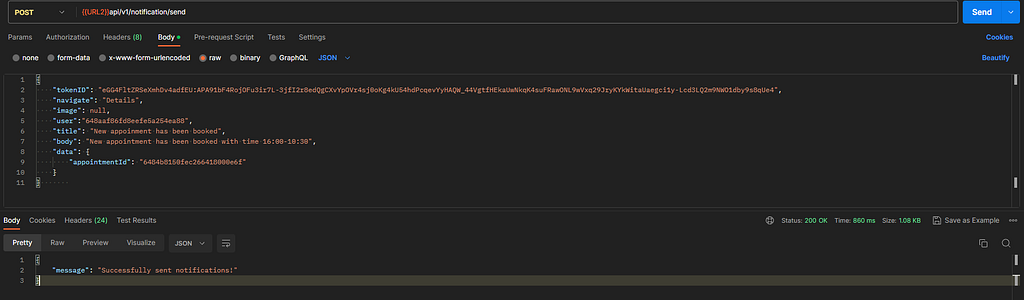
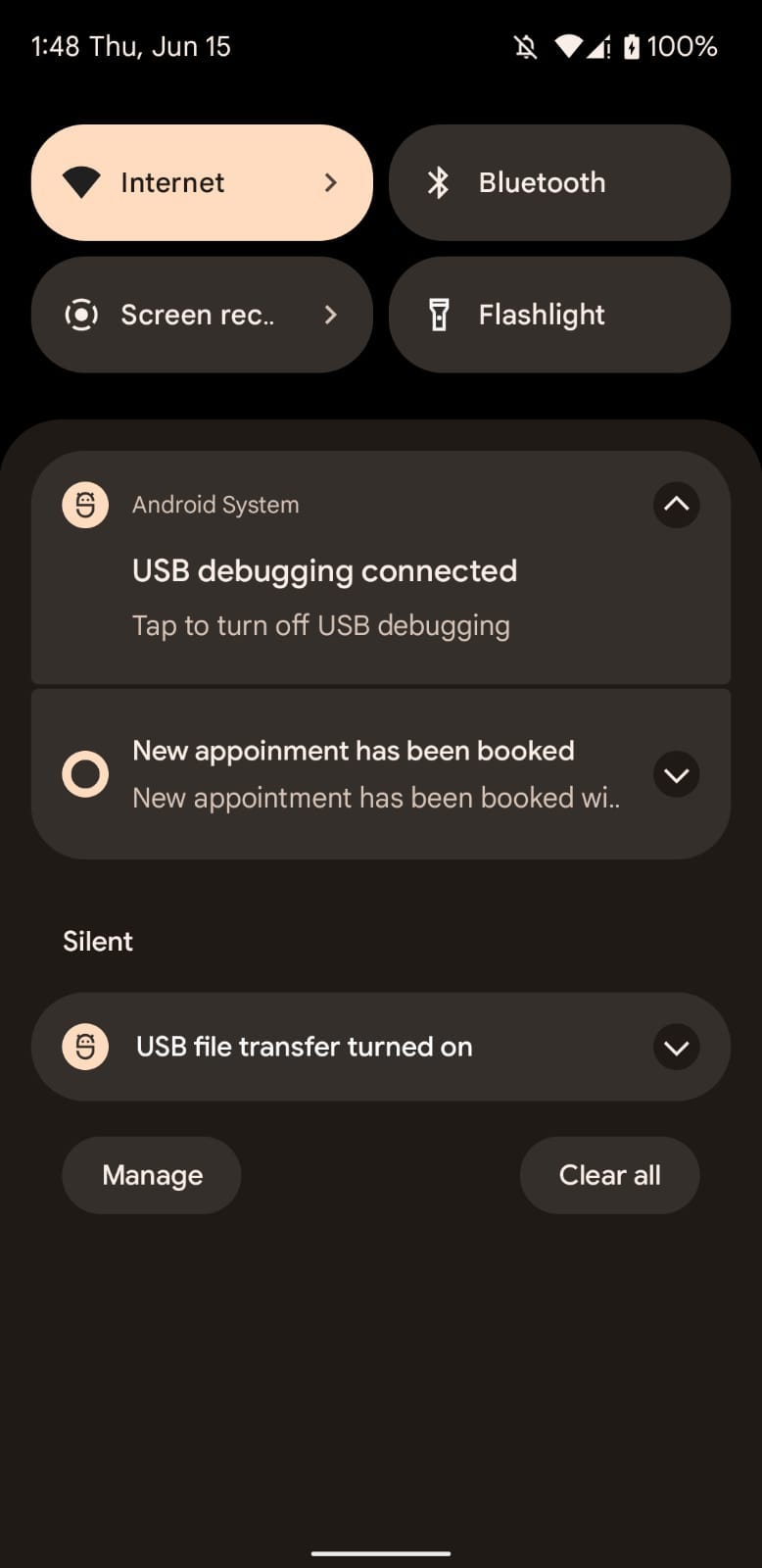
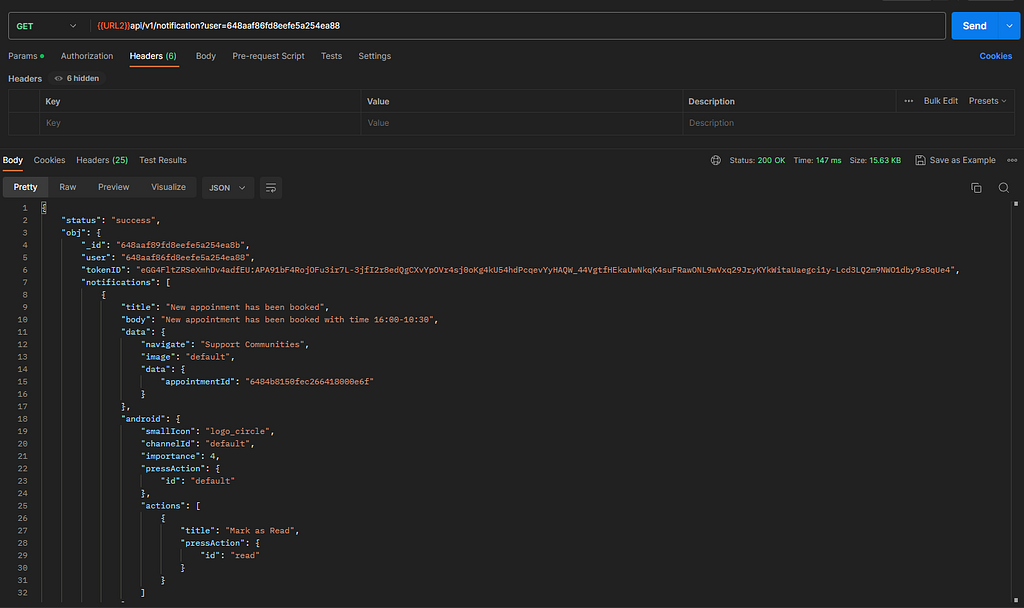
In order to configure In-App notifications
Just use the get route with userID as a query param where ever needed and you can display them on a new screen.
Originally published on Medium.